Setup
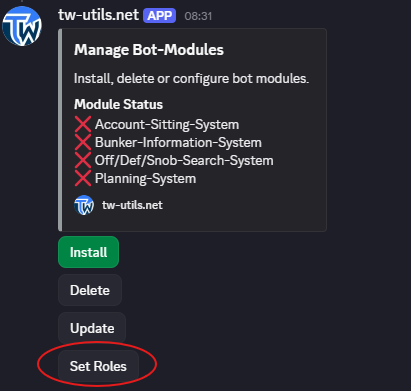
The central management of all bot modules runs via the Manage Bot-Modules button in the #⚫-bot-config channel. From there you can install, update, or remove modules — and define for each module which Discord roles are allowed to see the corresponding channels. The module-specific configuration is documented on the respective linked subpages of each module.
Prerequisite
Module management is accessible to Discord users with the TWU-Leader role. Discord administrators can reach it as well — permanently, not just during the initial setup (see Permission Concept).
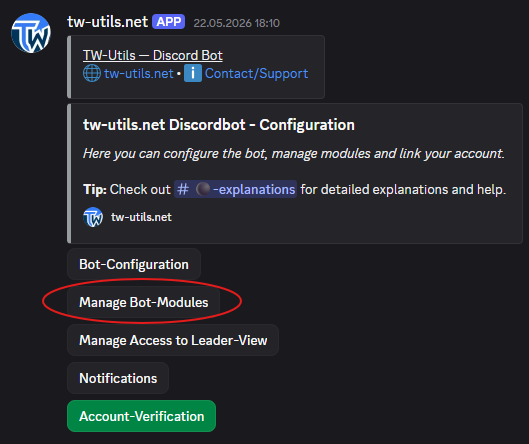
1. Install a module
On your tribe Discord, switch to the #⚫-bot-config channel and click on the Manage Bot-Modules button. The module management menu opens. Click on the Install button there to start the installation of a new module. In the dropdown that appears, select the desired module. The bot then installs the module automatically and creates the corresponding channels on your Discord server. Repeat the process for every additional module you want to use.
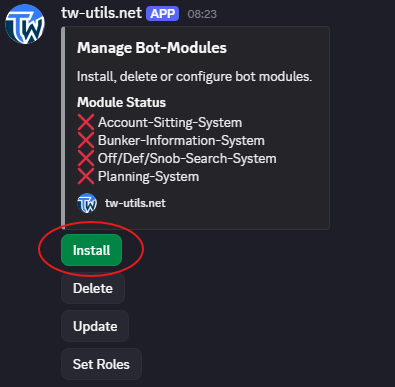
2. Update a module
In the module management menu, click on the Update button to update an installed module to the current version. Select the desired module in the dropdown that appears. Existing data and configurations are preserved.
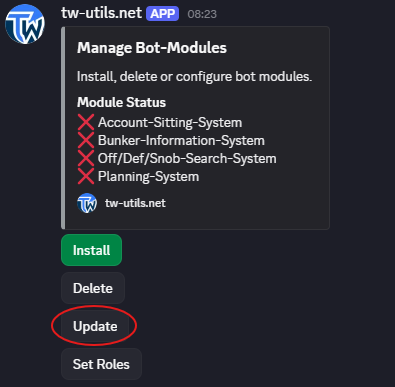
3. Uninstall a module
In the module management menu, click on the Delete button to remove an installed module. Select the module to be uninstalled in the dropdown that appears.
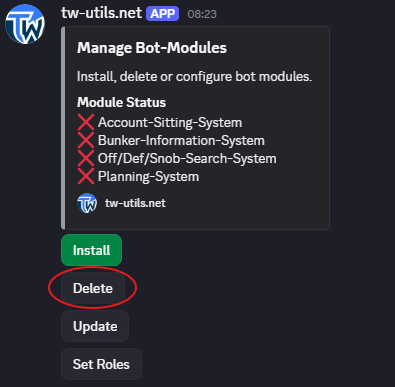
What is lost when uninstalling
The corresponding channels are deleted along with all their contents — this cannot be undone. Whether the data behind them disappears as well depends on the module: the Account-Sitting-System and the Off/Deff/Snob-Search-System delete theirs. The Planning-System keeps snob entries, launch times, off exclusions and plans — they remain available in the Leader-View. The Bunker-Information-System keeps approved bunkers and reported enemy bunkers; only open requests disappear.
4. Define visibility roles
For each installed module, you can define which Discord roles are allowed to see the corresponding module channels. To do this, click on the Set Roles button in the module management menu. Then select the module for which the roles should be set, followed by the desired Discord roles.
Public by default
Without an explicit role assignment, the module channels are visible to all members on your Discord server. If you want to restrict access, you have to assign specific roles via Set Roles.