Troops
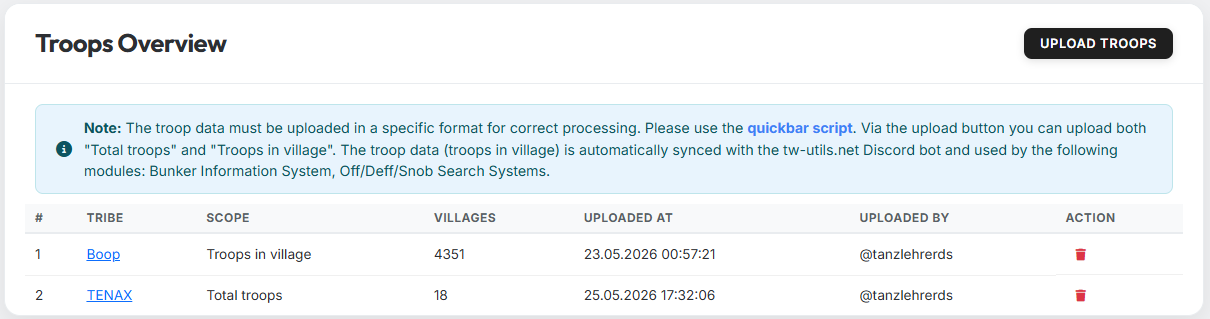
The "Troops" tab manages the troop-data uploads per tribe. The data uploaded here is the basis for many other features — both in the Leader-View (e.g. Bunker-Info) and in the modules of the tw-utils Discord bot.
Re-use by the Discord bot
The uploaded "Troops in village" data is automatically synced with the tw-utils Discord bot and re-used there in the Bunker-Information-System and Off/Deff/Snob-Search-System modules.
Who sees this tab?
The "Troops" tab is visible to all four roles — TWU-Troops, TWU-Bunker, TWU-Planner and TWU-Leader. Details under Permission.
Table columns
| Column | Meaning |
|---|---|
| # | Running number |
| Tribe | Tribe the data belongs to |
| Scope | "Troops in village" or "Total troops" |
| Villages | Number of villages in the dataset |
| Uploaded at | Timestamp of the last upload |
| Uploaded by | Discord user who triggered the upload |
| Actions | Delete entry (trash icon) |
The two scopes
When uploading you choose which view of the troops the file contains. Both views can be maintained in parallel.
- Troops in village — only the troops currently actually standing in the village (i.e. no troops in transit).
- Total troops — all existing troops of a village (in village + in transit). Pure inventory/analysis view.
Uploading troops
The button "Upload Troops" (top right) opens the upload dialog:
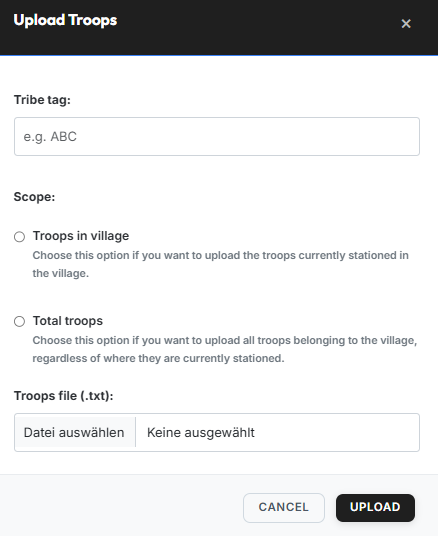
Dialog fields:
- Tribe tag — tag of the tribe the data belongs to (e.g.
ABC). While typing, the field suggests matching tribes of the current world; a tag that does not exist on the world is rejected on upload. - Scope — choose either "Troops in village" or "Total troops" (see The two scopes).
- Troops file (.txt) — the TXT file produced by the quickbar script.
An upload always replaces the entire previous dataset for that combination of tribe and scope — nothing is merged. An upload without any usable rows leaves the existing data untouched instead of clearing it.
Expected file format
The TXT file must contain a header line with the column names as its first line, followed by one line per village:
Coords,Player,spear,sword,axe,archer,spy,light,marcher,heavy,ram,catapult,knight,snob
483|520,Testuser A,2421,6099,100,5963,50,50,3632,200,5,279,0,8
543|538,Testuser A,100,100,6027,100,6,3014,100,100,159,5,0,0
467|559,Testuser A,3779,4836,100,4803,40,50,6309,1584,5,80,0,0
465|523,Testuser B,4298,5495,100,6752,23,50,5761,1131,5,35,0,0
468|515,Testuser B,721,4160,100,2280,61,50,5935,832,5,308,0,4