Bunker-Info

The "Bunker-Info" tab is the central tool for the tribe's bunker management. Here you manage the approved bunkers, identify additional flexbunkers, document enemy bunkers and can visualize the overall bunker situation on a map.
The page has four sub-tabs:
- Approved Bunkers
- Flexbunker
- Enemy Bunkers
- Map
Note
For the full feature set, current troop data must be uploaded in the Troops tab. Without troop data, neither target/actual comparisons for approved bunkers nor the flexbunker check can be evaluated.
Approved Bunkers
In this sub-tab you manage the officially approved bunker villages of the tribe. For each village a target value (dual strength) is stored; the system continuously compares it to the current actual value from the troop data and shows missing refills.
The list contains both bunkers entered manually by leaders and bunkers that tribe members have requested via the Bunker-Information-System of the tw-utils Discord bot and that have been approved by a leader.

The table has the following columns:
| Column | Meaning |
|---|---|
| Status | Colored traffic light (see legend) |
| Tribe | Tribe of the bunker village |
| Player | Owner of the village |
| Coordinate | Coordinates of the bunker |
| Approved (Dual) | Targeted dual strength |
| Current (Troops) | Currently available defensive troops |
| required Refills | Difference target − actual as dual |
| Actions | Top up (+), delete (trash) |
Add a bunker manually
The standard path for new bunkers goes through the Bunker-Information-System of the Discord bot: players request bunkers there, leaders approve them and they automatically land in this list.
In addition, leaders can enter bunkers directly in the Leader-View. The button "Add Bunker" opens a dialog with two fields:
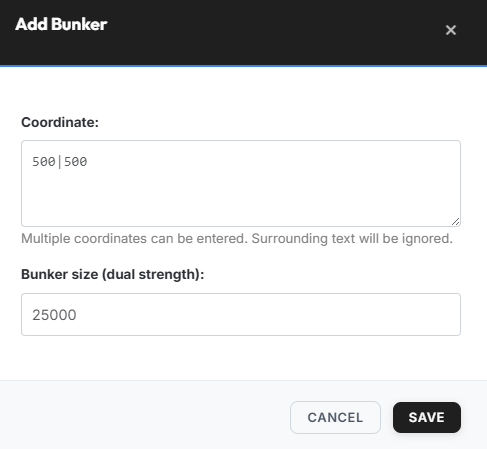
- Coordinate — multiple coordinates possible; surrounding text is ignored.
- Bunker size (dual strength) — e.g.
25000.
Top up (increase target value)
Top-ups normally also come through the Discord bot. Leaders can
however also do them manually at any time: via the blue + icon
in the "Actions" column the target size of an existing bunker can
be increased afterwards.
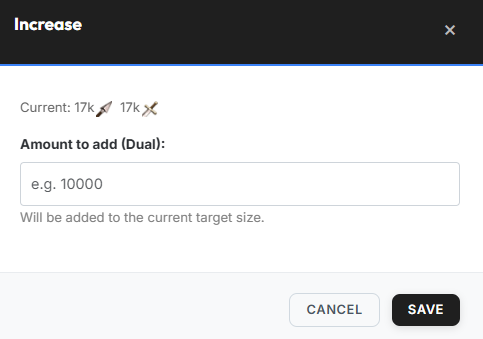
The entered value is added to the current target size (it does not replace it).
Copy Refills
Via the "Copy Refills" button you open the "Request refills" dialog. It contains one collapsible text block per tribe, which can be copied to the clipboard via the "Copy" button.
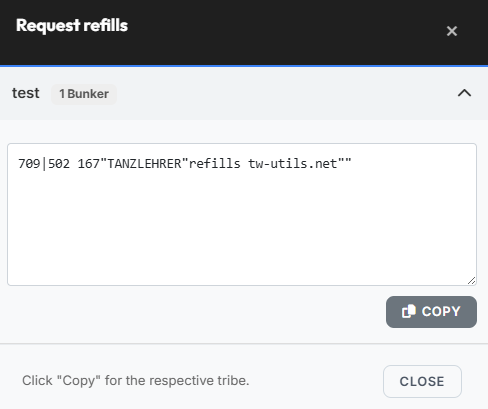
The copied text can be posted, for example, to the tribe forum.
Refill calculation basis
The required refills are calculated exclusively on the basis of the most recently uploaded "Troops in village" data. Already incoming supports towards the bunker village are not taken into account — they only appear in the actual value once they have arrived in the village and are contained in the next troop upload.
Flexbunker
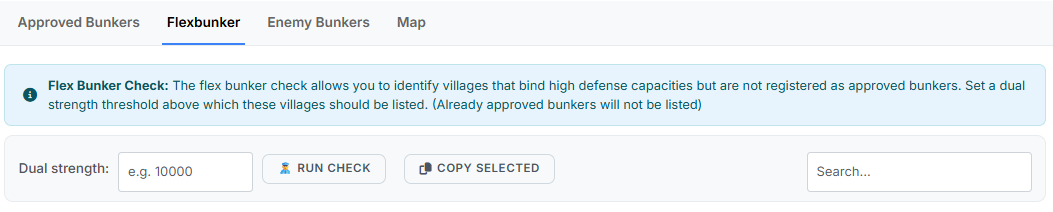
With the flexbunker check you identify villages that hold high defensive capacities but are not officially registered as bunkers.
Procedure:
- Enter the dual strength (e.g.
15000). - Click "Run check".
- Review the result list, mark the desired entries and use "Copy selected" to copy them to the clipboard.
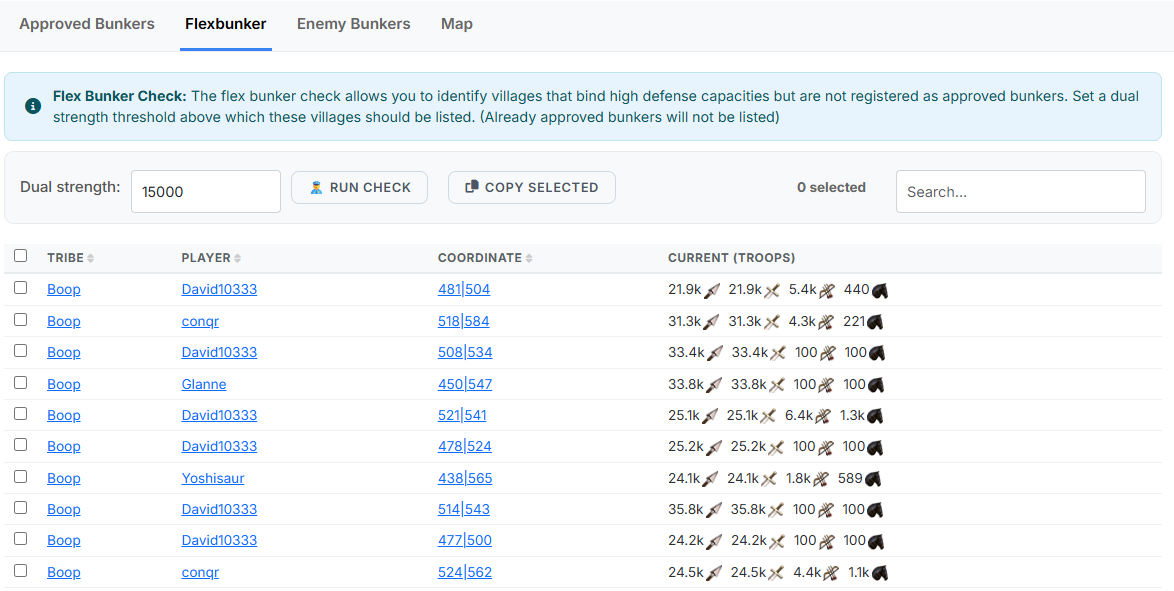
The result table lists all villages that exceed the threshold, with the following columns:
| Column | Meaning |
|---|---|
| Tribe | Tribe of the village |
| Player | Owner of the village |
| Coordinate | Coordinate of the village |
| Current (Troops) | Currently available defensive troops |
Enemy Bunkers
In this sub-tab all known bunker villages on the enemy side are collected, so they can be taken into account more effectively during nuke planning.
The list contains both entries that tribe members have reported via the Bunker-Information-System of the tw-utils Discord bot and bunkers that leaders have entered manually directly in the Leader-View.

The table has the following columns:
| Column | Meaning |
|---|---|
| Tribe | Tribe of the bunker village |
| Player | Owner of the village |
| Coordinate | Coordinate of the bunker village |
| Current (Troops) | Most recently reported defensive troops |
| Last updated | Timestamp of the last report |
Add an enemy bunker
The "Add enemy bunker" dialog offers two input methods as tabs:
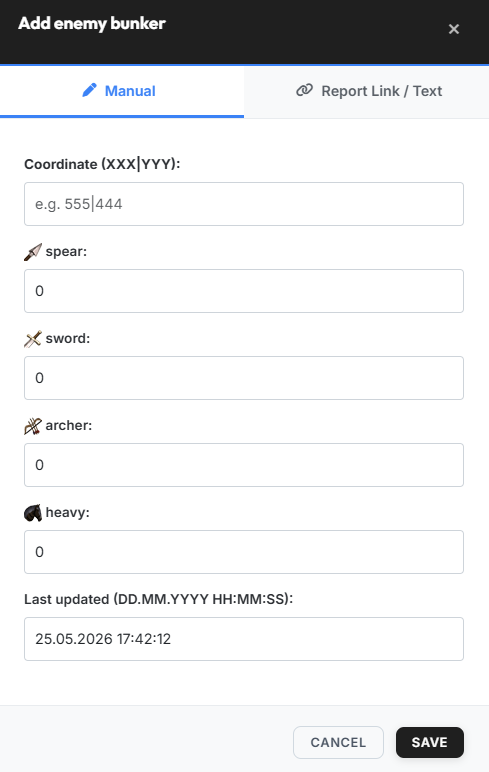
- Manual — coordinate (
XXX|YYY), the four troop fieldsspear:,sword:,archer:andheavy:(each preceded by its unit icon) plus the last updated timestamp (formatDD.MM.YYYY HH:MM:SS). - Report link / text — either paste the report URL or the report text; the system parses the troops and the timestamp automatically.
Map
The "Map" sub-tab visualizes all registered bunkers on the world map. Via the "Legend & filter" panel you can show and hide the individual layers.
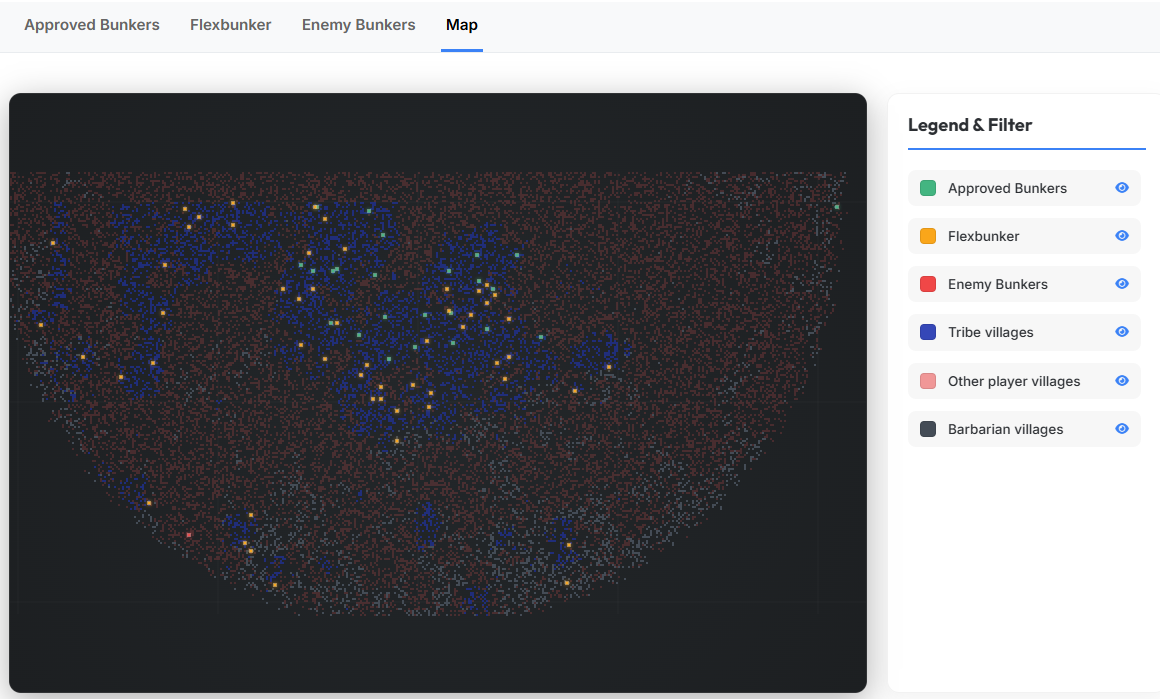
Available layers:
- Approved Bunkers
- Flexbunker
- Enemy Bunkers
- Tribe villages
- Other player villages
- Barbarian villages