Tab 4: Results Overview
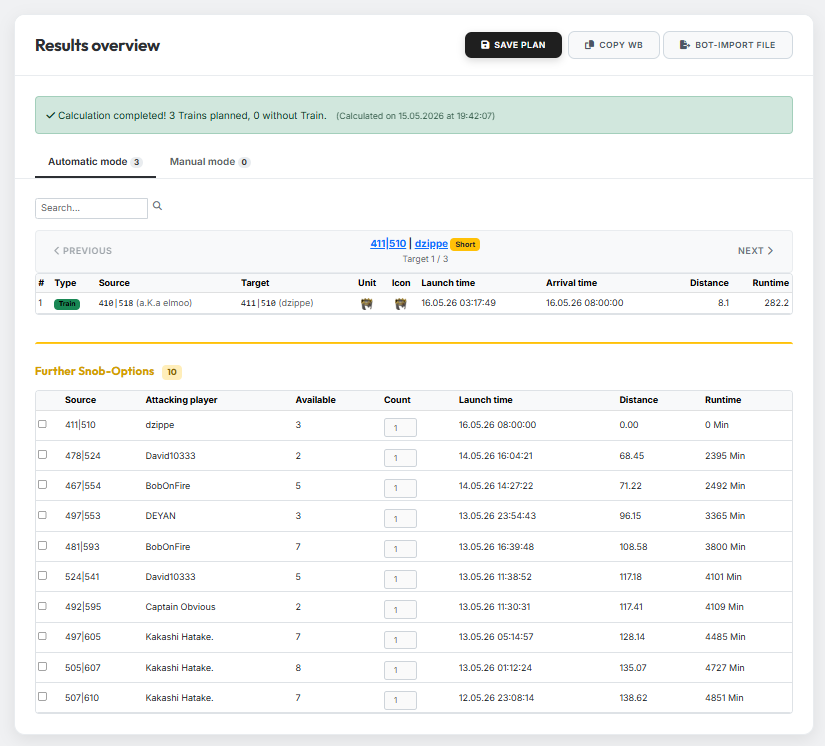
Tab 4 only appears once a calculation has been started in Tab 3. Here you see the finished plan and can extend it manually if needed.
1. Train table
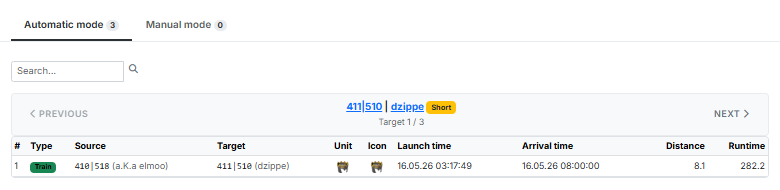
For each target, the train table shows the planned train with source and target village, slowest unit, launch and arrival time, distance and runtime.
Use the "Previous" and "Next" buttons to flip through the targets — or jump directly to a specific coordinate via the search field.
2. Further Snob-Options
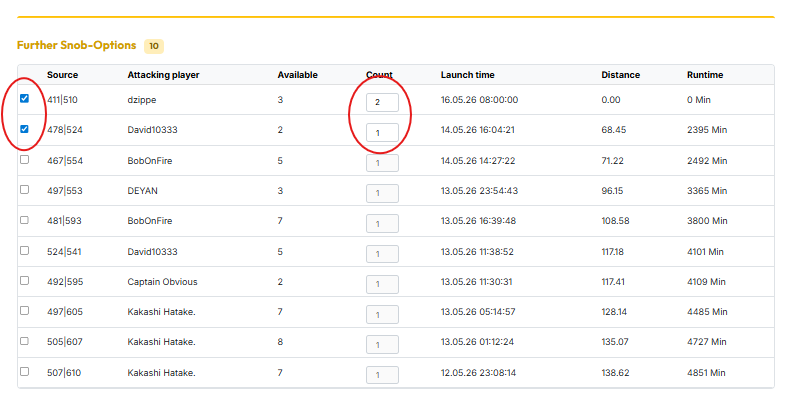
Below the train table you find the "Further Snob-Options" section. Here you can manually plan additional noblemen for the currently displayed target by ticking the desired option's checkbox.
In the "Count" field you define how many noblemen from the respective village should be used for this target. You can enter at most the number shown under "Available".
Only runtime-feasible options
The list only shows options that are technically feasible in terms of runtime — i.e. depending on the world settings.
Dynamic availability
The "Available" column always reflects only the noblemen that are actually still free in a village. If you assign, for example, 2 of 4 available noblemen to another target, only 2 noblemen from that village remain available for the other targets — and that is exactly what is displayed here.
3. Result after manual selection
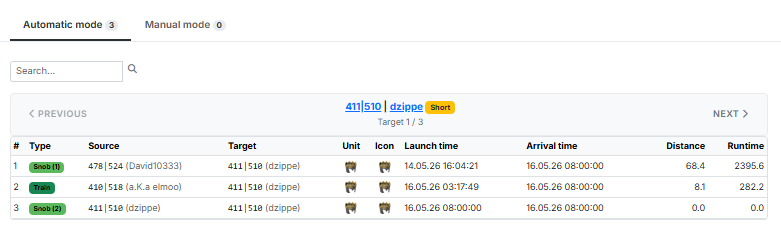
As soon as you tick an option from "Further Snob-Options", it is added to the train table above and shown there as an additional row (e.g. Snob (1), Snob (2)) alongside the planned train.
4. Saving & exporting the plan
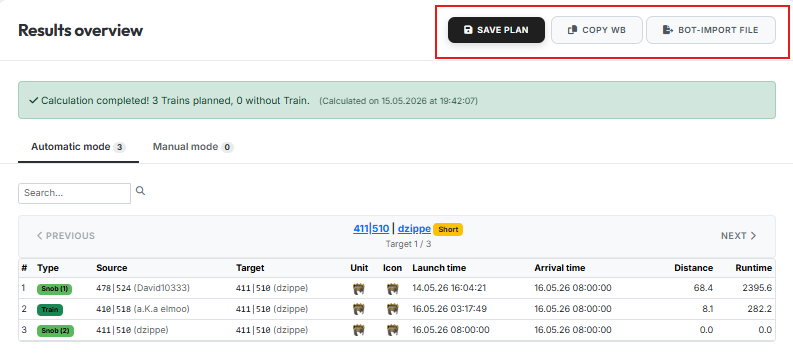
Above the results overview you have two options at your disposal:
- Save Plan — saves the current plan to your account so you can open it again later.
- Copy WB — copies the ready-to-paste Workbench commands to your clipboard.